

Sessions
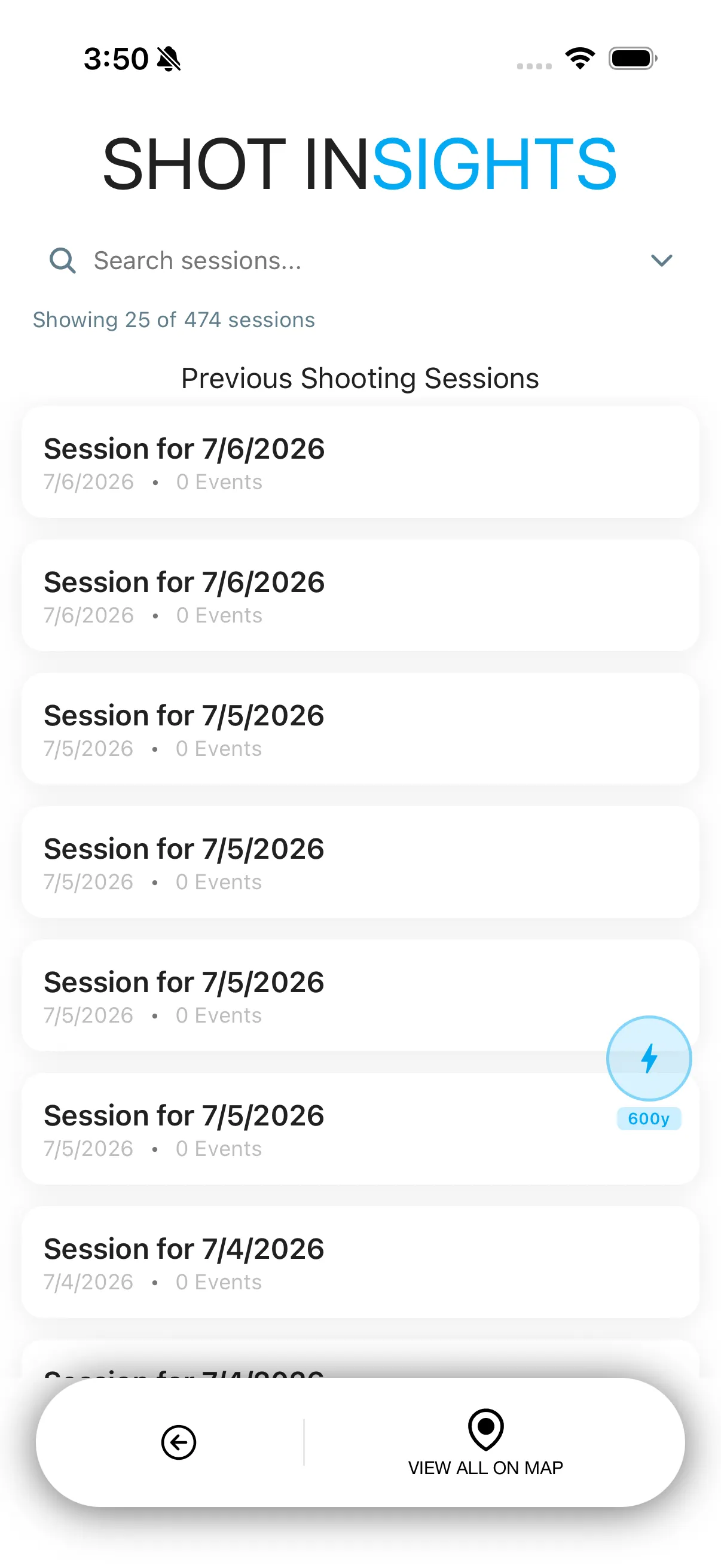
Sessions is your running history inside Shot Insights. It helps you look back at previous range days, review what you shot, and keep notes tied to the work you actually did.
What Sessions stores
Section titled “What Sessions stores”- The date of the session
- Recorded events from the session
- Ballistic details tied to that session
- Notes you add later
- Location details when available
Review a session
Section titled “Review a session”- Open Sessions.
- Search or filter the list to find the range day you want.
- Open a session to review its notes, events, and ballistic details.
- Add a note if you want to save extra context for later.
When Sessions is most useful
Section titled “When Sessions is most useful”- Comparing one practice day to another
- Remembering what weather or holds you used
- Keeping notes on a rifle, load, or target setup
- Finding past shooting locations on the session map
- Add notes while the session is still fresh in your mind.
- Use consistent names for loads or drills so sessions are easier to search.
- If you want help building better data before the session starts, use QuickShot, Match Card, or Chronograph.
Help improve these docs
With your permission, we use Google Analytics cookies to understand which guides are useful. Analytics is optional. You can change your choice in Analytics preferences at any time. Privacy policy