

Compare Profiles
Comparing profiles helps you understand what changed and whether it matters. It is especially useful when you are deciding between two loads or testing a revised profile against one you already trust.
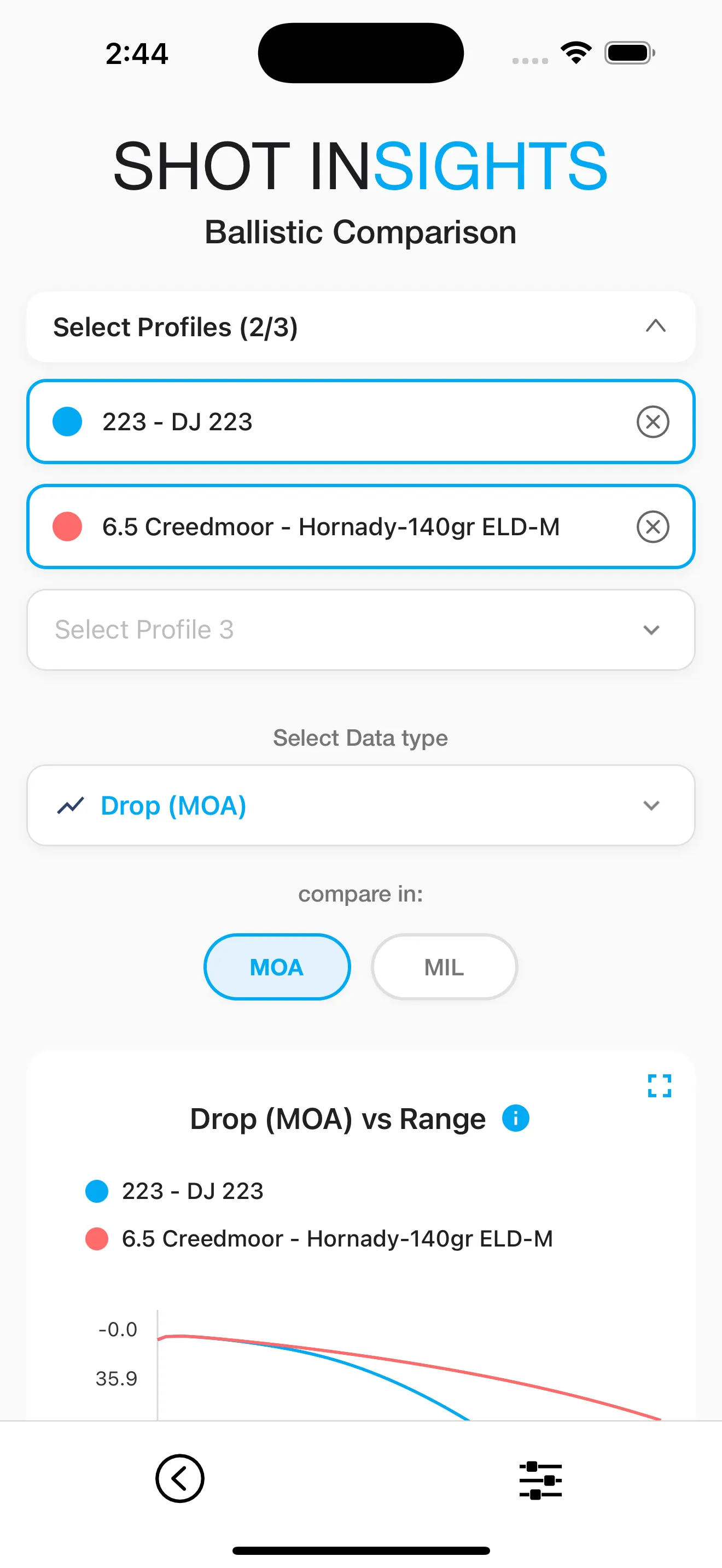
Compare two profiles
Section titled “Compare two profiles”- Open Ballistics.
- Choose the compare view.
- Select the two profiles you want to review.
- Look at the differences in drop, wind holds, velocity, and other values across distance.
Good times to compare
Section titled “Good times to compare”- Standard load vs. a duplicate you tuned
- Two bullet weights for the same rifle
- Library-based setup vs. your fully measured profile
What to look for
Section titled “What to look for”- Which load stays flatter at your target distances
- Which one keeps more velocity or energy downrange
- Whether the wind hold changes enough to matter for your use
For a cleaner workflow, duplicate a known profile first in Manage Profiles, then compare the original and the edited copy.
Help improve these docs
With your permission, we use Google Analytics cookies to understand which guides are useful. Analytics is optional. You can change your choice in Analytics preferences at any time. Privacy policy